
In this tutorial you will learn how to use the proximity sensors of the MRPiZ robot.
The sensors
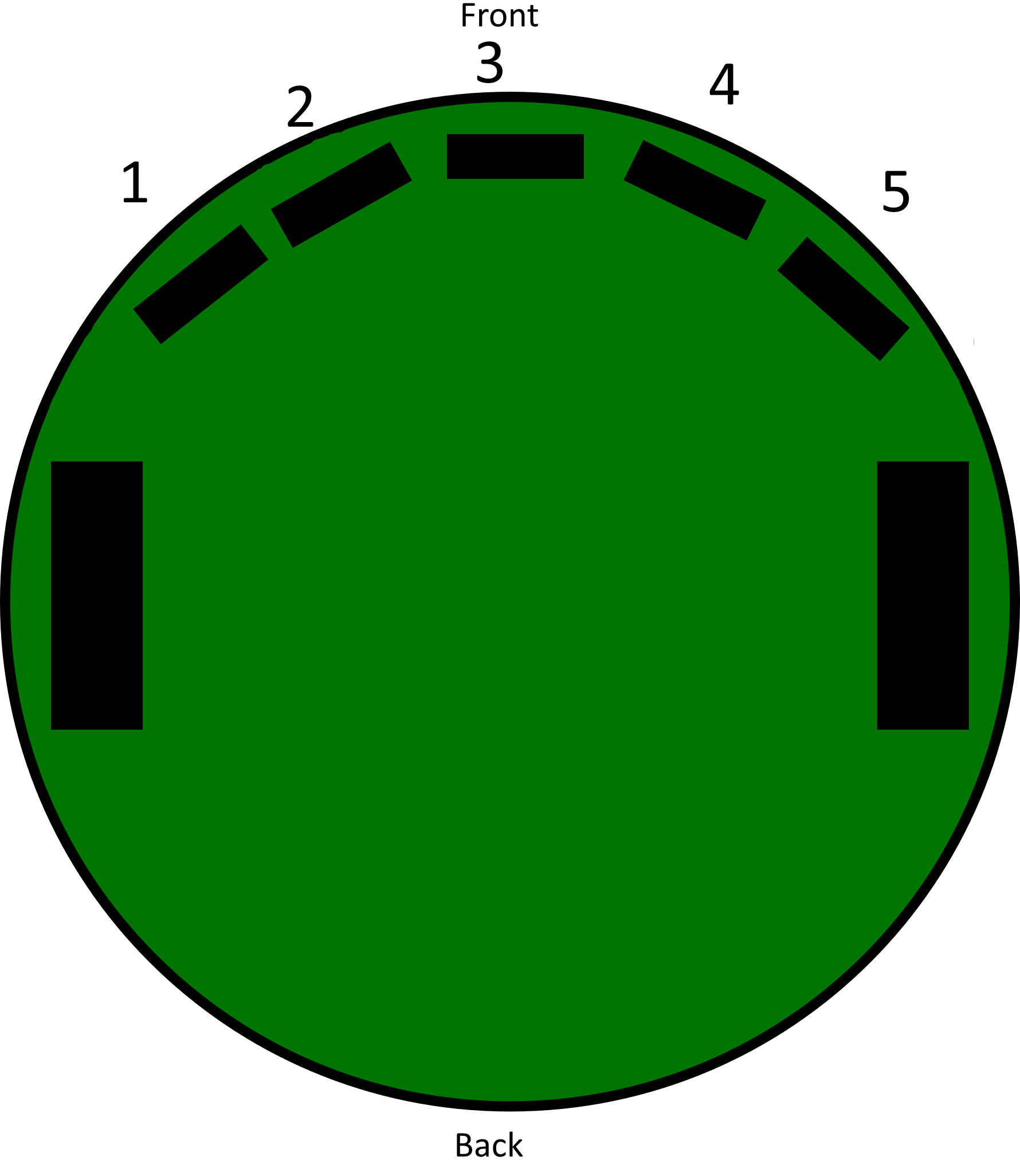
The MRPiZ robot is equipped with five seven-pin connectors to receive proximity sensors of the type:
- VL6180X form Pololu
MRPiZ peut avoir cinq capteurs maximum.
Here is the placement of the five sensors:
Read a sensor
$ python

- import mrpiZ_lib library :
>>> from mrpiZ_lib import *
- read sensor 1 :
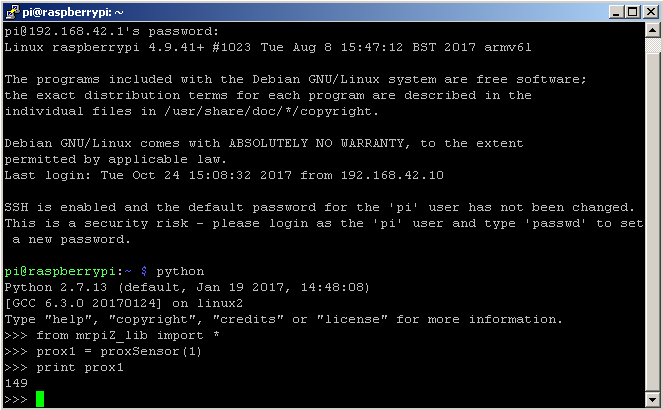
>>> prox1 = proxSensor(1)
>>> print prox1
The return value is a value between 0 and 255 (millimeter).
- -1 = sensor not present
Read the sensors
- Then, exit the python interpreter to create a script:
>>> exit()
- You can create a python script with the editor of your choice, for my part I use Notepad ++ and then I transfer the file to the Raspberry pi via the FileZilla software.
- Here is a small python script to read the proximity sensors:
Name of the script : prox1.py
#!/usr/bin/python
from mrpiZ_lib import *
import time

# boucle infini
while 1:
  p1 = proxSensor(1)
  p2 = proxSensor(2)
  p3 = proxSensor(3)
  p4 = proxSensor(4)
  p5 = proxSensor(5)

  # afficher les valeurs
  print "%d %d %d %d %d %d" %(p1,p2,p3,p4,p5)

  time.sleep(1)
This program reads all MRPiZ robot proximity sensors.
Obstacle avoidance
In this part we will see how to use proximity sensors to manage an obstacle placed in front of the robot.
- Here is a small python script to read the proximity sensors:
Name of the script : prox2.py
#!/usr/bin/python
from mrpiZ_lib import *
import time

# seuil de la detection obstacle
seuil = 50

while 1:
  p2 = proxSensor(2)
  p4 = proxSensor(4)
  print "%d %d " %(p2,p4)

  if ((p2 < seuil) or (p4 < seuil)):
    stop() # arreter le robot
  else:
    forward(30) # avancer le robot

  time.sleep(0.2)
This program allows to forward the robot when there are no obstacles in front of him. Sensors 2 and 4 are used to detect an obstacle in front of the robot.