
In this tutorial you will learn how to manage the MRPiZ robot movements .
- Moving forward
- Moving backward
- Turn right and left
The mobile base
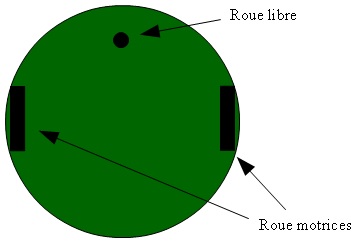
The MRPiZ robot is a differential wheeled robot equipped with two separately driven wheels and a ball caster for balance.
Forward
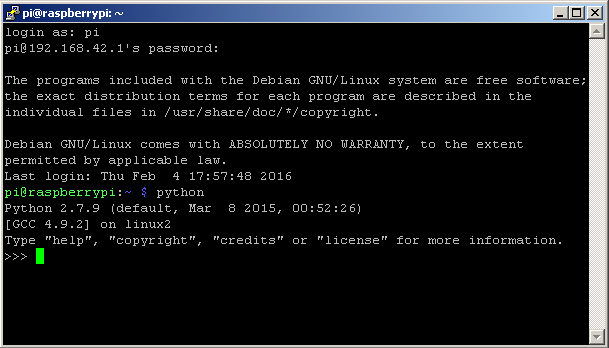
- Launch the python interpreter:
$ python
-
Import the mrpiZ_lib library:
>>> from mrpiZ_lib import *
- Move the robot forward :
>>> forward(40)
This function is used to advance the robot with a speed of 40. The speed is a value between 0 and 100%. The maximum speed is 100%.
- Stop the robot :
>>> stop()
Forward and backward
- Then, exit the python interpreter to create a script file :
>>> exit()
The exit() command exits the python interpreter.
- You can create a python script with the editor of your choice, for my part I use Notepad ++ and then I transfer the file to the Raspberry pi via the FileZilla software.
- Here is a small python script for moving the robot:
#!/usr/bin/python
from mrpiZ_lib import *
import time

forward(50)

time.sleep(2)

stop()

time.sleep(1)

back(50)

time.sleep(2)

stop()
- The move1.py script completed, you must make it executable, with the command:
$ chmod +x move1.py
- Run the program:
$ ./move1.py
The time module:
import time
Turn
We will manage the functions to turn the robot right and left.
- Here is a python script for turn the robot:
Name of script : move2.py
#!/usr/bin/python
from mrpiZ_lib import *
import time


turnRight(30)
time.sleep(2)
stop()
time.sleep(0.5)
turnLeft(20)
time.sleep(1)
stop()
- The move2.py script completed, you must make it executable, with the command:
$ chmod +x deplacement2.py
- Run the program:
$ ./move2.py
End.
